

Student JourneyFrom your home to your first class in Kuala Lumpur

Everything a new international student needs, in the order it happens: your application, student visa, eVisa, MDAC, arrival at KLIA and your first week at Excel. Our team is with you at every step.

  • 14 steps
  • 5 stages
  • Checked against the official portals on 21 October 2026
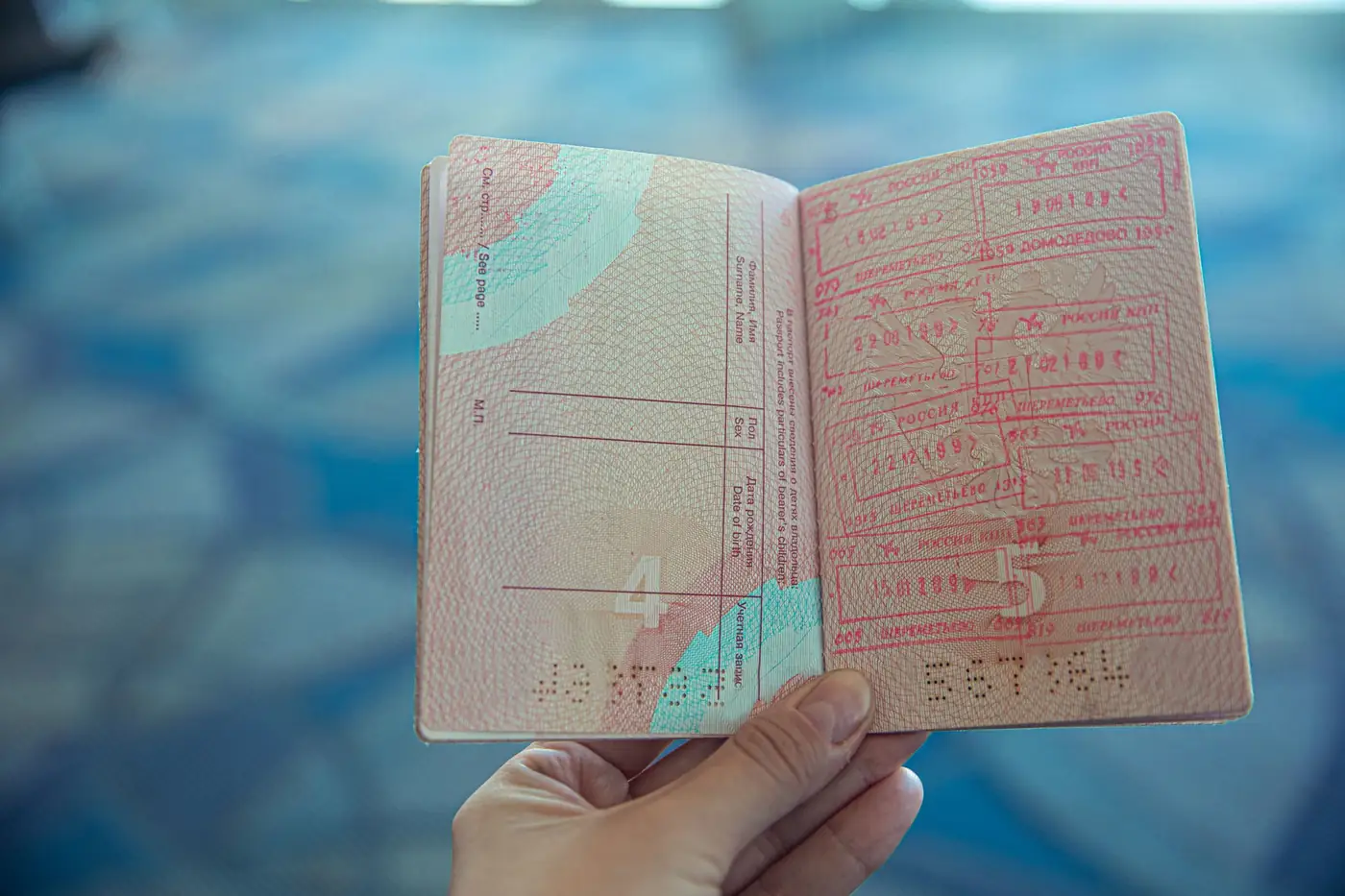
An open passport with entry stamps
Stage 2Your eVAL and eVisa
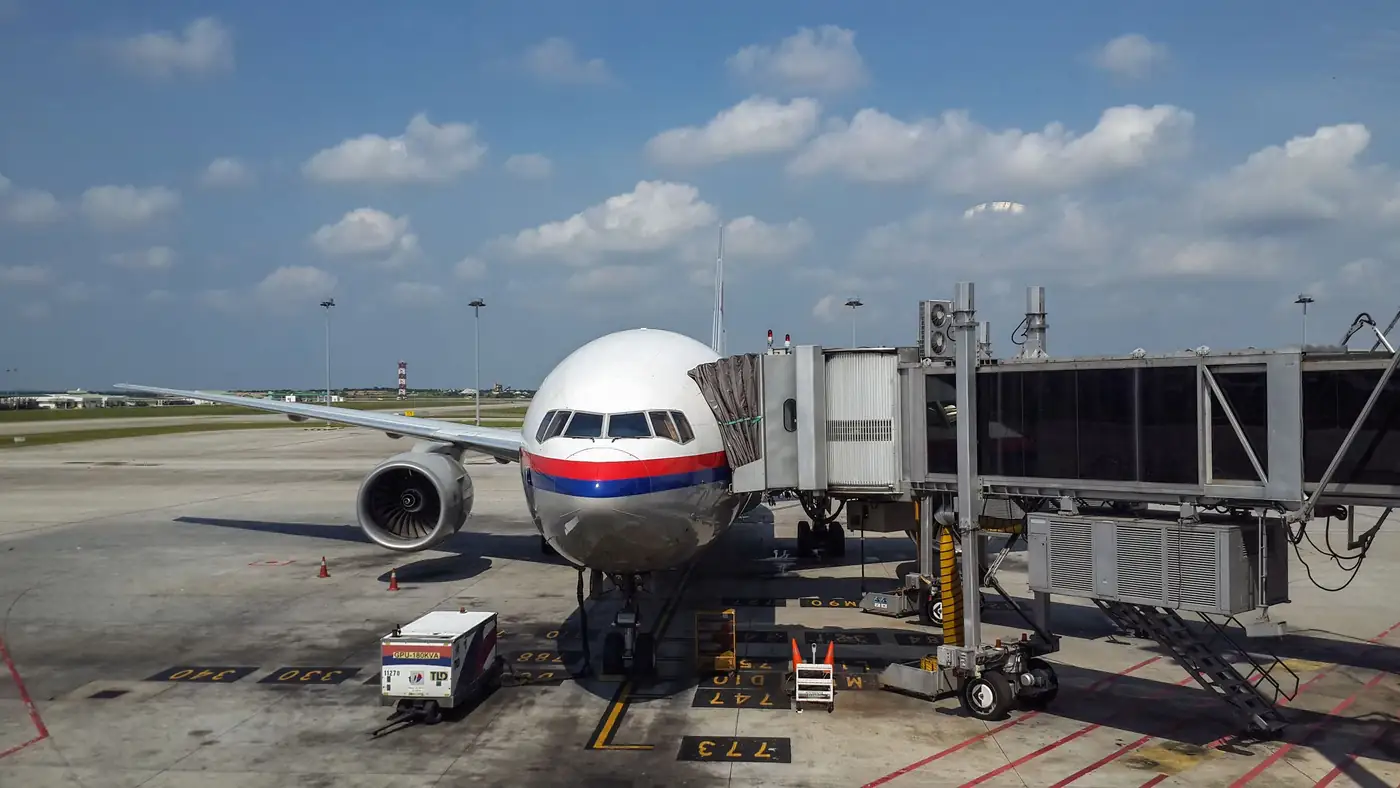
A Malaysia Airlines plane at the gate at Kuala Lumpur International Airport
Stage 4Arrival day at KLIA
Excel students talking together in English in class
Stage 5Your first week at Excel

Plan your journey

Boarding pass
To

KUL

Kuala Lumpur

Passenger

New Excel student

Not booked yet? Choose the day you plan to land.

First stop

ISAC counter

Choose your nationality to check if you need an eVisa.

Your plan

Add your landing date to see your own deadlines.

  1. Send us your ticket by

    Step 8

  2. Submit your MDAC

    Step 9

  3. Land at KLIA

    Step 10

    Go to ISAC first

  4. Medical check by

    Step 13

    Within 7 days of arrival

Your journey in 14 steps

Five stages, from your application at home to your first class at Excel. The colour of each step tells you who does it.

  • You

    A step only you can do, like paying a fee or filling in a form online.

  • Excel

    Our team does this for you. You just wait for our update.

  • Together

    We do it together, usually once you are in Malaysia.

  1. Stage 1

    Apply and register

    Steps 1 to 4

  2. Stage 2

    Your eVAL and eVisa

    Steps 5 and 6

  3. Stage 3

    Before you fly

    Steps 7 to 9

  4. Stage 4

    Arrival day at KLIA

    Steps 10 and 11

  5. Stage 5

    Your first week at Excel

    Steps 12 to 14

Three rules that save you time

  • Don't fly too early

    Wait for your eVAL, and for your eVisa if your nationality needs one.

  • Tell us 7 days before

    Send your flight ticket at least 7 days before you fly, and tell us about any change.

  • You are a student, not a tourist

    At KLIA, go to the ISAC counter first. Never use the autogate.

Filling in an online form on a laptop

Stage 1 of 5Steps 1 to 4

Apply and register

Your journey starts with a few documents. Send them to our Admissions and Registration Team, and we handle your application with the Malaysian authorities.

For this stage you needPassport valid for 18+ monthsPassport photoSchool certificate and transcriptVisa processing fee

Step 1You

Send us the first page of your passport

Send a clear photo or scan of your passport's photo page to our Admissions team by WhatsApp or email. It's all we need to prepare your Offer Letter.

Check your expiry date now

Your passport must be valid for at least 18 months when your Student Pass is applied for. If it expires sooner, renew it before you start: your whole application is linked to this passport number.

A good passport photo
  • All four corners visible
  • Sharp text, no glare
  • A colour photo or scan

Step 2Excel

Receive your Offer Letter

Our Admissions and Registration Team prepares your Offer Letter. It confirms your place at Excel, your program and your start date.

  • Check that your name and passport number match your passport exactly.
  • Found a mistake? Tell us straight away, before you pay or send anything else.
  • Keep the Offer Letter safe. You'll need it again at the airport.

Step 3You

Pay the student visa processing fee

After you receive your Offer Letter, pay the student visa processing fee of RM 3,350. It's not an extra cost: the full amount is deducted from your total program fees. We send you the payment details with your Offer Letter.

Your payments at a glance

  1. Now, after your Offer Letter

    RM 3,350

    Visa processing fee, paid to Excel and deducted from your fees.

  2. After your eVAL, if needed

    About RM 120

    Your eVisa, paid online by you in the MYVISA portal. The amount depends on your nationality.

  3. When you arrive

    The balance

    The rest of your program fees, paid at final registration.

Step 4Excel

We submit your student visa application

Once we have your payment and documents, we submit your student visa application and handle every procedure with the government authorities. You don't need to contact EMGS or Immigration yourself. You must be outside Malaysia when we submit it.

What happens behind the scenes

  1. Excelsubmits your application
  2. EMGSchecks your documents
  3. Immigrationapproves your entry
  4. eVALis sent to you

While you wait

The review usually takes about 4 to 6 weeks once your documents are complete. We update you at every stage.

Don't book a flight yet

Don't buy a ticket or travel until you have your eVAL, and your eVisa if your nationality needs one.

Documents for your student visa

Send us these three documents so we can submit your application. Clear, complete files make the review faster.

  1. 1. Your full passport, as one colour PDF

    A colour PDF of every page of your passport, including the blank pages, in page order.

  2. 2. A personal photograph

    A white background and dark clothing, so you stand out clearly.

    • Correct

    • Patterned background

    • Light clothes

    • Shadows

    • Size 35 mm × 50 mm
    • Full face, eyes open, neutral expression
    • No head covering, except for religious reasons, with the face fully visible
    • Recent and sharp: not edited, not a selfie, no glasses
  3. 3. High school certificate and transcript

    Both the original documents and certified English translations.

    OriginalEnglish translation

Bring them too

Pack the original certificate, transcript and translations in your hand luggage. You may be asked for them in Malaysia.

The same photo works for your eVisa

The MYVISA portal checks photos automatically and accepts only a plain white or plain blue background.

Before you press send

  • Every page is in colour and easy to read
  • Nothing is cut off at the edges
  • Your passport PDF includes the blank pages
  • Translations are certified and in English
An open passport with entry stamps

Stage 2 of 5Steps 5 and 6

Your eVAL and eVisa

Your approval arrives. Then you check whether your nationality needs an eVisa, and if it does, you apply for it yourself online with your eVAL.

For this stage you needYour eVAL (PDF)The same passportPhoto on a white backgroundAn active email addressA payment card, about RM 120

Step 5Excel

Receive your eVAL

When Immigration approves your application, we send you your eVAL (Electronic Visa Approval Letter). It is your official approval to enter Malaysia as a student.

  • It's valid for 6 months from approval. Enter Malaysia within that time.
  • Print 2 copies and keep the PDF on your phone.
  • Check your name and passport number once more.

Same passport

Your eVAL is linked to your passport number. Don't travel with a different passport, and tell us before you renew it.

Don't let it expire

If your travel is delayed and your eVAL is close to 6 months old, tell us straight away.

Know your documents

Five names you'll hear again and again. Here's what each one is, and when you need it.

eVAL
What it isImmigration's approval for you to enter Malaysia as a student.
When you use itTo apply for your eVisa, and at the airport.
eVisa (SEV)
What it isSingle Entry Visa, for nationalities that need a visa. It lets you enter once.
When you use itShown to the airline and to Immigration when you arrive.
MDAC
What it isMalaysia Digital Arrival Card. Free, and required for all foreign visitors.
When you use itFilled in online within 3 days before you arrive.
Special Pass
What it isThe temporary student entry stamp you get at the immigration counter.
When you use itUsually covers your first 14 to 30 days, until your Student Pass is ready.
Student Pass
What it isYour legal permission to live and study in Malaysia.
When you use itIssued after you arrive, pass the medical check and submit your passport.

Step 6You

Apply for your eVisa, if your nationality needs one

Some nationalities need an eVisa (Single Entry Visa, SEV) to enter Malaysia as students. Others don't. If you need one, you apply by yourself, online, with your eVAL.

Does your nationality need an eVisa?

EMGS lists 139 countries whose citizens need a Single Entry Visa before entering Malaysia as students. Search for yours.

Show all 139 countries

Middle East and North Africa (21)

  • Algeria
  • Bahrain
  • Egypt
  • Iran
  • Iraq
  • Jordan
  • Kuwait
  • Lebanon
  • Libya
  • Mauritania
  • Morocco
  • Oman
  • Palestinian Territories
  • Qatar
  • Saudi Arabia
  • Syria
  • Tunisia
  • Türkiye
  • United Arab Emirates
  • Western Sahara
  • Yemen

Central Asia and the Caucasus (9)

  • Afghanistan
  • Armenia
  • Azerbaijan
  • Georgia
  • Kazakhstan
  • Kyrgyzstan
  • Tajikistan
  • Turkmenistan
  • Uzbekistan

South Asia (6)

  • Bangladesh
  • Bhutan
  • India
  • Nepal
  • Pakistan
  • Sri Lanka

East and Southeast Asia (15)

  • Cambodia
  • China
  • Hong Kong SAR China
  • Indonesia
  • Japan
  • Laos
  • Macao SAR China
  • Mongolia
  • Myanmar (Burma)
  • Philippines
  • South Korea
  • Taiwan
  • Thailand
  • Timor-Leste
  • Vietnam

Europe (36)

  • Albania
  • Austria
  • Belarus
  • Belgium
  • Bosnia & Herzegovina
  • Bulgaria
  • Croatia
  • Czechia
  • Denmark
  • Estonia
  • Finland
  • France
  • Germany
  • Greece
  • Hungary
  • Iceland
  • Italy
  • Kosovo
  • Latvia
  • Lithuania
  • Luxembourg
  • North Macedonia
  • Moldova
  • Monaco
  • Norway
  • Poland
  • Portugal
  • Romania
  • Russia
  • Serbia
  • Slovakia
  • Slovenia
  • Spain
  • Sweden
  • Ukraine
  • Vatican City

Sub-Saharan Africa (32)

  • Angola
  • Benin
  • Burkina Faso
  • Burundi
  • Cameroon
  • Cape Verde
  • Central African Republic
  • Chad
  • Comoros
  • Congo - Brazzaville
  • Côte d’Ivoire
  • Djibouti
  • Equatorial Guinea
  • Eritrea
  • Ethiopia
  • Gabon
  • Ghana
  • Guinea
  • Guinea-Bissau
  • Liberia
  • Madagascar
  • Mali
  • Mozambique
  • Niger
  • Nigeria
  • Rwanda
  • São Tomé & Príncipe
  • Senegal
  • Somalia
  • South Sudan
  • Sudan
  • Togo

The Americas (20)

  • Argentina
  • Bolivia
  • Brazil
  • Chile
  • Colombia
  • Costa Rica
  • Cuba
  • Ecuador
  • El Salvador
  • Guatemala
  • Haiti
  • Honduras
  • Mexico
  • Nicaragua
  • Panama
  • Paraguay
  • Peru
  • Suriname
  • Uruguay
  • Venezuela

Surprised to see your country?

Many nationalities can visit Malaysia as tourists without a visa, but entering as a student is different. If your country is on this list, you need an eVisa even if you have visited Malaysia visa-free before.

Not on the list?

You enter with your eVAL only. You still complete your MDAC, carry your eVAL and Offer Letter, and go to the ISAC counter when you land.

Source: EMGS list of countries that require a Single Entry Visa (SEV), checked on 21 October 2026. EMGS notes that the list can change without notice. If in doubt, ask our Admissions team. visa.educationmalaysia.gov.my (opens in a new tab)

How to apply for your eVisa

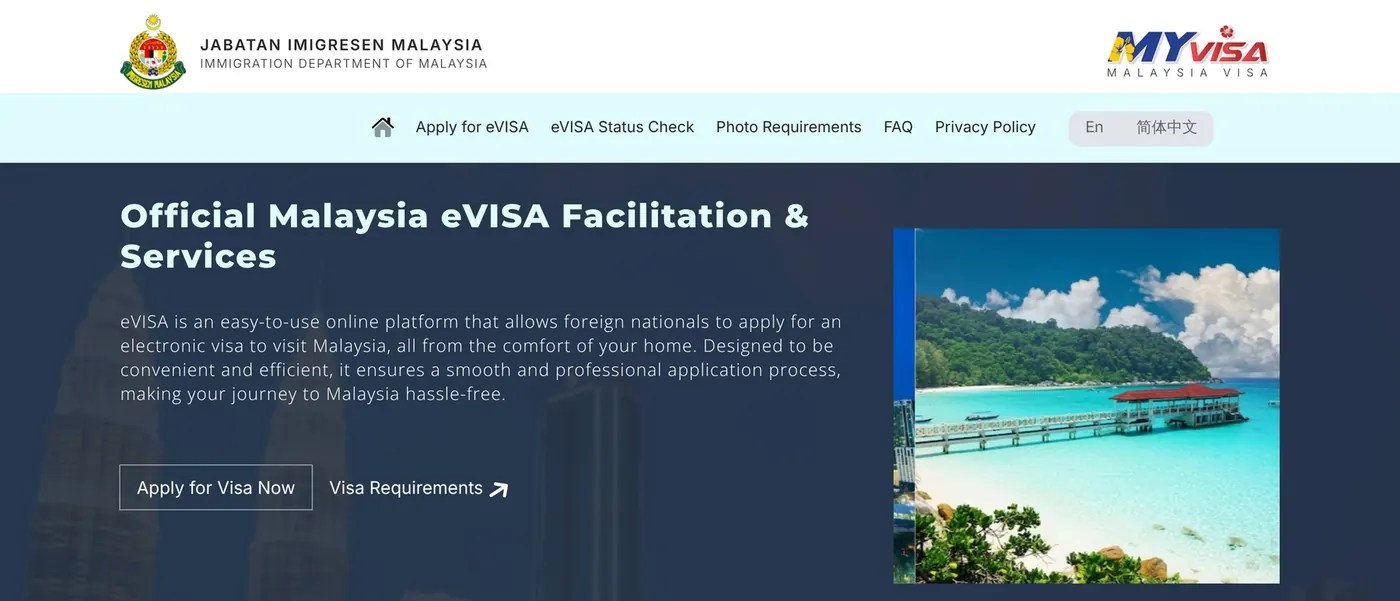
  1. 1Go to malaysiavisa.imi.gov.my and click Apply for eVISA.
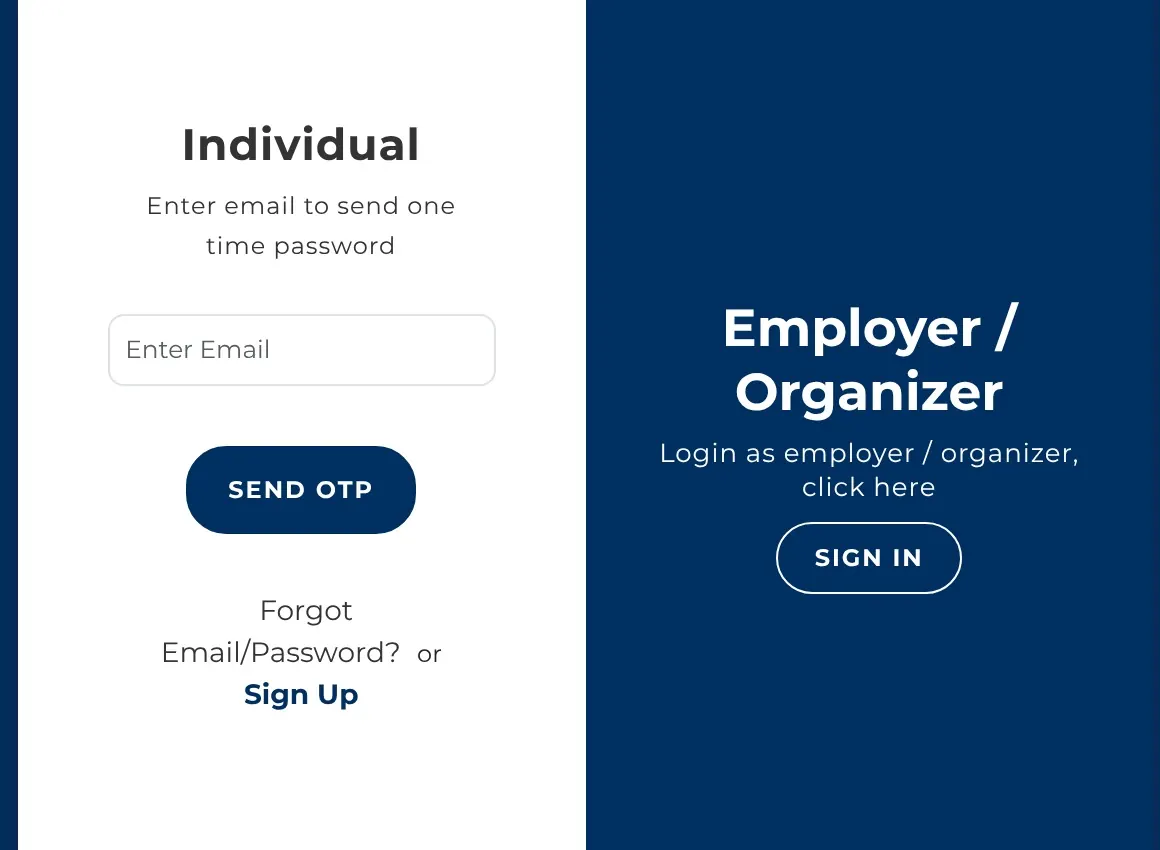
  2. 2Under Individual, click Sign Up and create your account with your details exactly as in your passport.
  3. 3Activate your account from your email, then sign in with the OTP code sent to you.
  4. 4Start a new application and choose Visa With Reference (VDR).
  5. 5Choose Student / Study as your purpose.
  6. 6Enter the approval number or eVAL details the system asks for.
  7. 7Complete your passport, address and travel details.
  8. 8Upload your passport copy, your photo, your eVAL and any other document requested.
  9. 9Check your name, passport number, nationality and date of birth.
  10. 10Pay the fee shown (about RM 120), then follow your application in your account and email.
  11. 11When it is approved, download your eVisa PDF and print it on A4 paper.
The official MYVISA homepage. Click Apply for eVISA.
Sign Up under Individual, then sign in with an OTP code.
Open MYVISAmalaysiavisa.imi.gov.my(opens in a new tab)
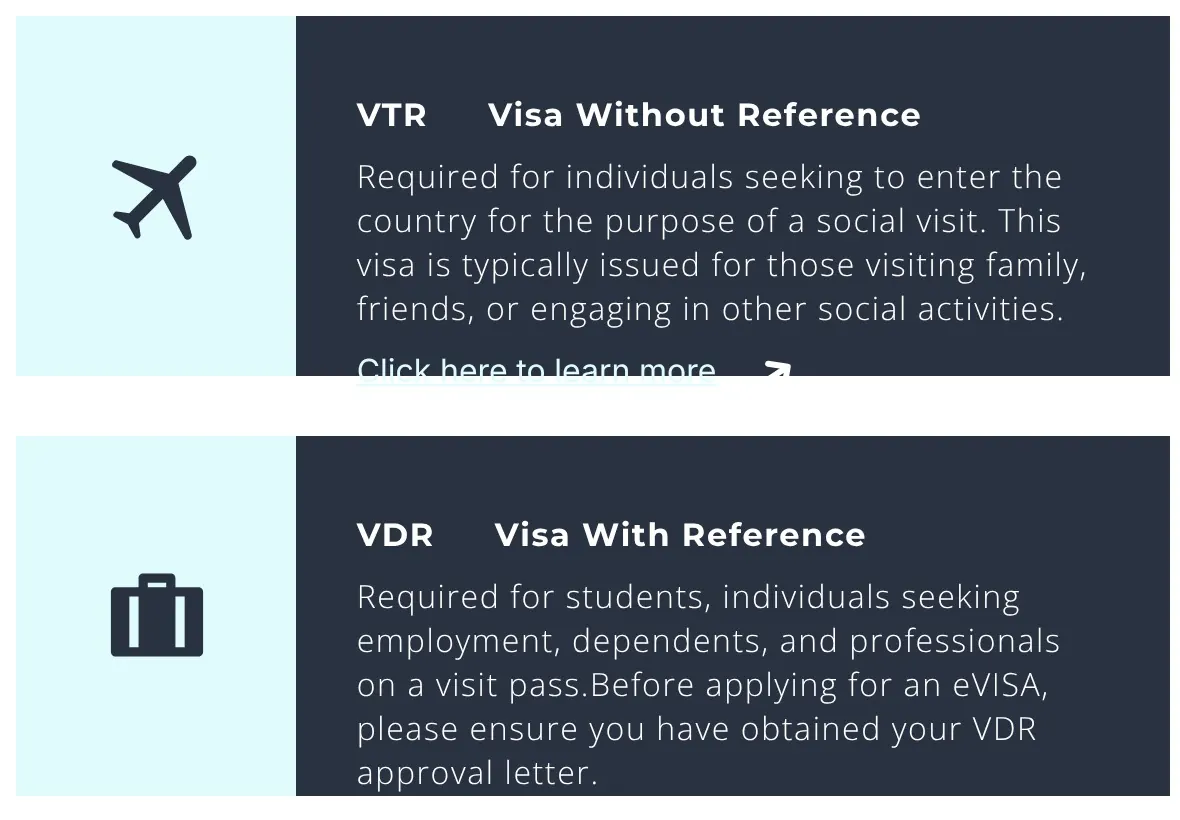
Choose VDR: Visa With Reference
  • VTR: Not this one
  • VDR: Choose this

Choose VDR: Visa With Reference

The portal offers two types. As a student you always choose VDR, Visa With Reference, because your application is linked to your eVAL. VTR, Visa Without Reference, is for tourists and social visits. Never choose it.

The right choices in the portal

Visa type
Visa With Reference (VDR)
Purpose
Student / Study
Reference
Your eVAL

eVisa fee

About RM 120

Paid online, depends on your nationality

Processing

1 to 3 days

Usually

Pay within 7 working days

Since 1 October 2026, an application left as New Application or Pending Payment for more than 7 working days expires, and you must start again.

Official website only

Apply only at malaysiavisa.imi.gov.my, from outside Malaysia. Agent websites charge extra, and some are scams.

eVisa approved?

Send a copy to our team. Check that it's valid on your travel date, and travel within 3 months of approval. It lets you enter Malaysia once.

No eVisa needed?

Skip to step 7. You still need your eVAL and your MDAC, and you still go to ISAC when you land.

A passport, phone and travel documents ready on a table

Stage 3 of 5Steps 7 to 9

Before you fly

Your last days at home. Three short tasks, in the right order, make your arrival smooth: book your flight, tell us about it, and complete your MDAC.

For this stage you needYour eVAL, and eVisa if neededYour flight ticketYour address in MalaysiaPrinted documents in your hand luggage

Step 7You

Book your flight to Kuala Lumpur

Book your flight only after your eVAL has arrived, and your eVisa if you need one. Fly to Kuala Lumpur International Airport (KUL), and ask us about the best arrival date before you book.

E-ticket

Example

From

Your city

To

KUL

Arrival terminal

Terminal 1

Look here
Flight
XX 000
Date
DD MMM
Arrives
00:00

Terminal 1 = KLIA T1

Terminal 2 = KLIA T2, also called klia2

Which terminal will you land at?

KLIA has two terminals, and the ISAC student counter is in a different place in each one. Your ticket or booking shows your arrival terminal. Note it now: you'll need it on arrival day.

T1

Terminal 1

ISAC: Level 3, before immigration

T2

Terminal 2 (klia2)

ISAC: Level 3A, after the Skybridge

Changing planes on the way?

On your MDAC, the "last port" is the country of your last flight into Malaysia, your transit country. Note that country too.

Check the times

Ticket times are local. Malaysia is GMT+8. Check the date too: night flights often land the next day.

When should I arrive?

Ask our Admissions team for the best arrival date before you pay for a ticket. Arriving a few days before your start date gives you time for registration, your placement test and your medical check, without arriving so early that your Special Pass runs short.

Step 8You

Send us your ticket, at least 7 days before you fly

As soon as you book, send your flight ticket to our Admissions team. We need it at least 7 days before your flight to arrange two things for you.

Send it at least

7

days

before your flight

Airport clearance

We prepare your arrival with the airport team, so your student entry goes smoothly.

Airport pickup

We arrange a driver to meet you at KLIA and confirm the pickup details with you.

Flight changed? Tell us immediately

A new date, time, flight number or terminal, even a one-hour delay. Without it, your clearance and pickup may not match your arrival.

Copy this message

Hello Excel Admissions, here is my flight ticket (attached).

Full name: [as in my passport]

Flight number: [e.g. XX 000]

Arrival date and time (Malaysia time): [DD/MM/YYYY, 00:00]

Arrival terminal: [KLIA Terminal 1 / Terminal 2]

My WhatsApp number: [+country code and number]

Thank you!

Example: you land on 20 November
  1. Nov12Send your ticket
  2. Nov18MDAC
  3. Nov19MDAC
  4. Nov20You land

Send your ticket by 12 November, 7 days before a flight that leaves the day before you land. Submit your MDAC on 18 November, 19 November or 20 November.

Step 9You

Complete your MDAC

Every foreign visitor must fill in the Malaysia Digital Arrival Card online before arriving, and students are included. It's free and takes about five minutes.

The only official website

imigresen-online.imi.gov.my/mdac/main

Click REGISTRATION in the top menu.

When

Within 3 days

before you arrive, counting the day you submit

Cost

Free

any website asking for money is a scam

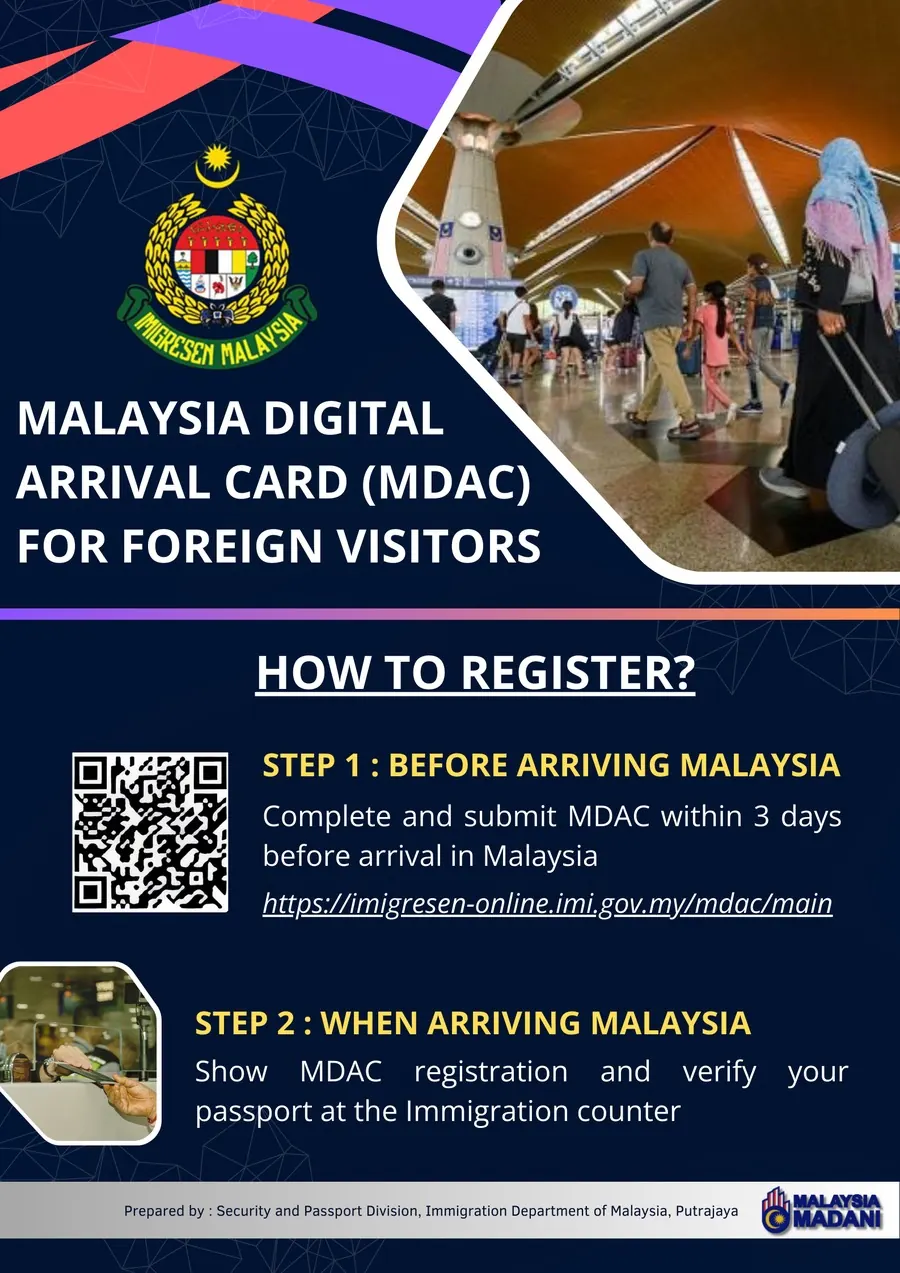
The two official steps

Before arriving: complete and submit your MDAC within 3 days before arrival. When arriving: show your MDAC registration and verify your passport at the immigration counter.

Official MDAC infographic, Immigration Department of Malaysia.

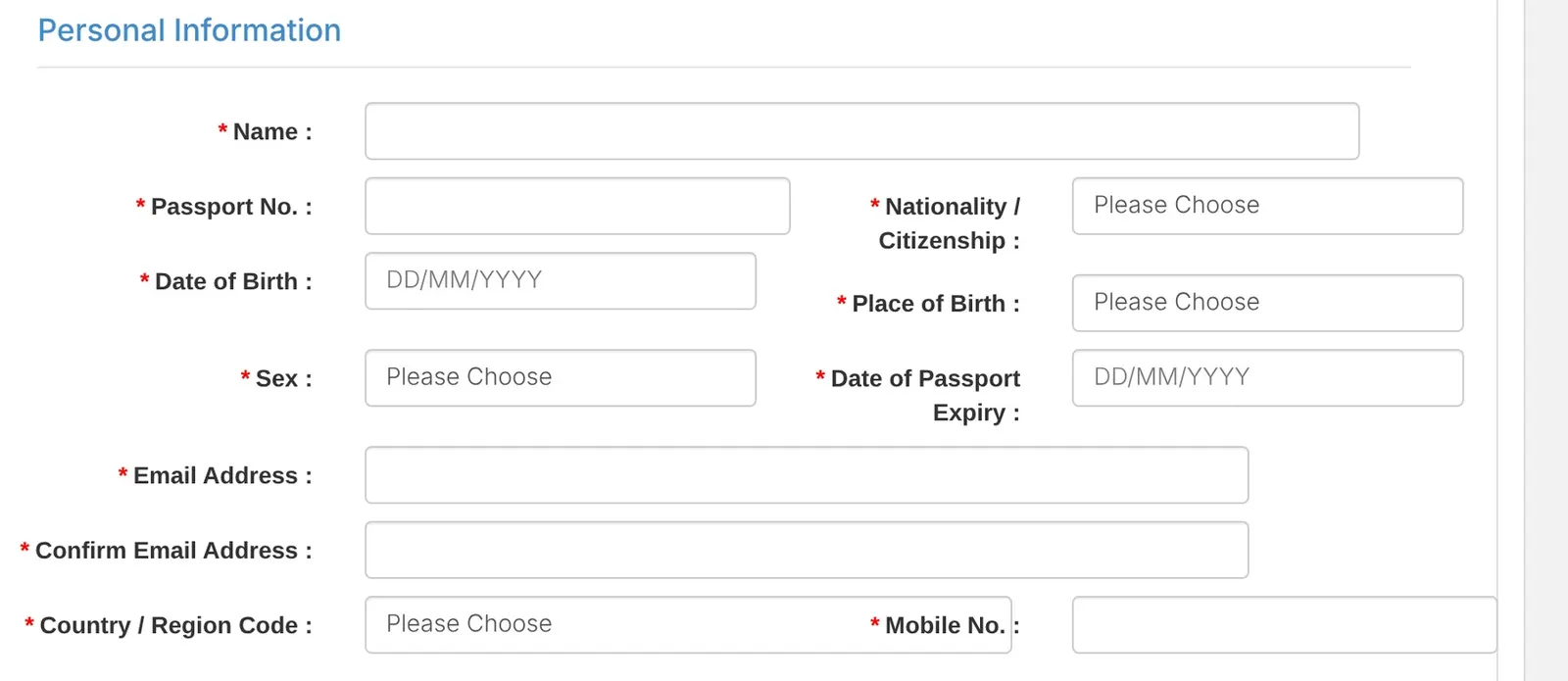
Part 1: Personal information

  1. 1NameExactly as in your passport.
  2. 2Passport No.The passport you travel with.
  3. 3NationalityChoose from the list.
  4. 4Date of BirthFormat DD/MM/YYYY.
  5. 5Place of BirthYour country of birth.
  6. 6SexChoose from the list.
  7. 7Date of Passport ExpiryFrom your photo page.
  8. 8Email, twiceOne you can open on your phone.
  9. 9Country code and mobileThe number you'll use in Malaysia.

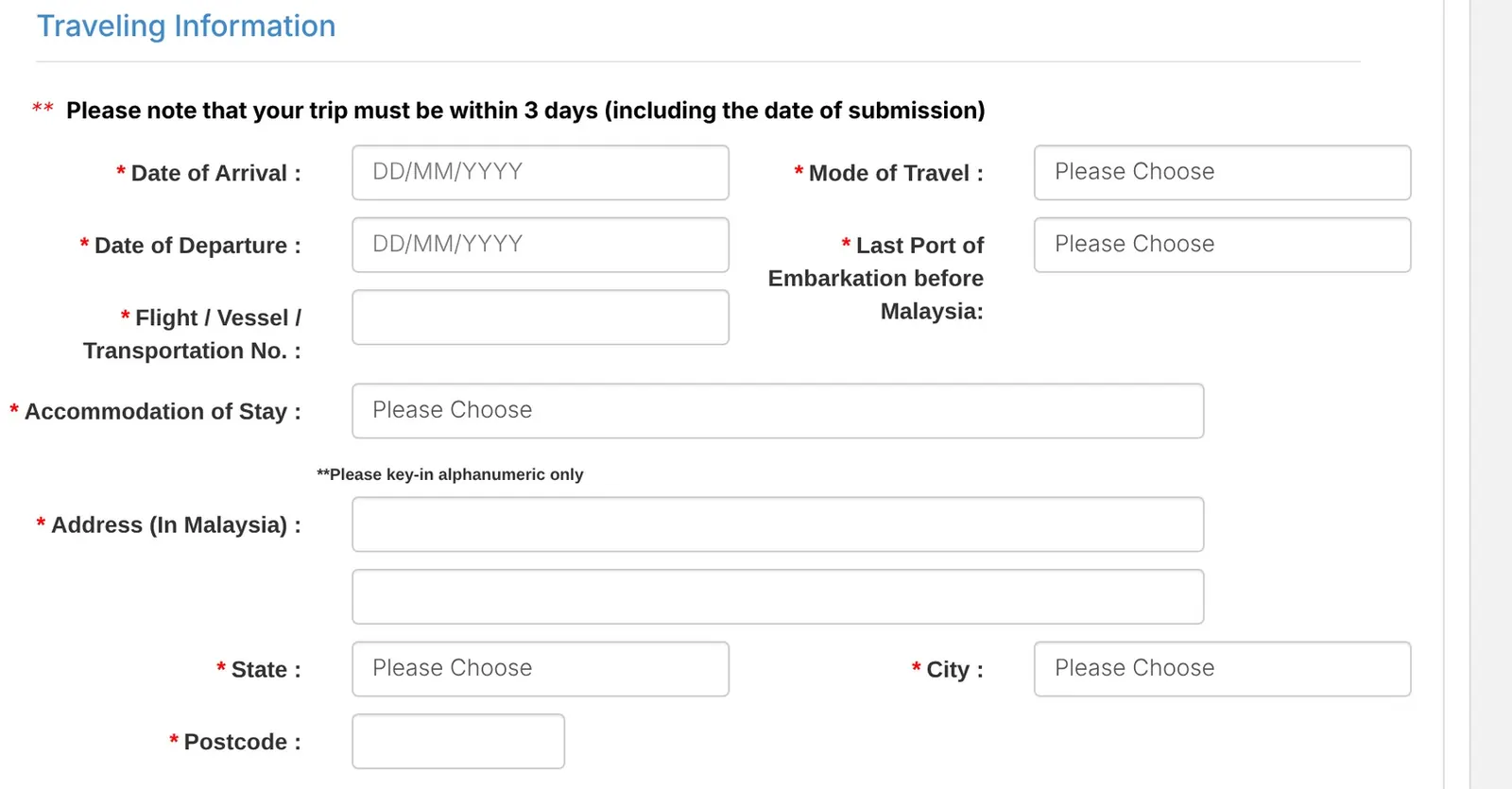
Part 2: Travelling information

Open full sizeThe Travelling Information part of the MDAC form, with numbered fields
  1. 10Date of ArrivalYour landing date. It must be within 3 days, counting today.
  2. 11Date of DepartureYour planned departure. No return ticket yet? Ask us which date to use.
  3. 12Flight No.As on your ticket, for example XX 000.
  4. 13Mode of TravelChoose AIR.
  5. 14Last Port of EmbarkationThe country of your last flight into Malaysia, your transit country if you change planes.
  6. 15Accommodation of StayStaying in student accommodation? Choose OTHERS.
  7. 16Address in MalaysiaLetters and numbers only, no symbols. Not sure? Ask us.
  8. 17State, City, PostcodeChoose from the lists, then type the postcode.
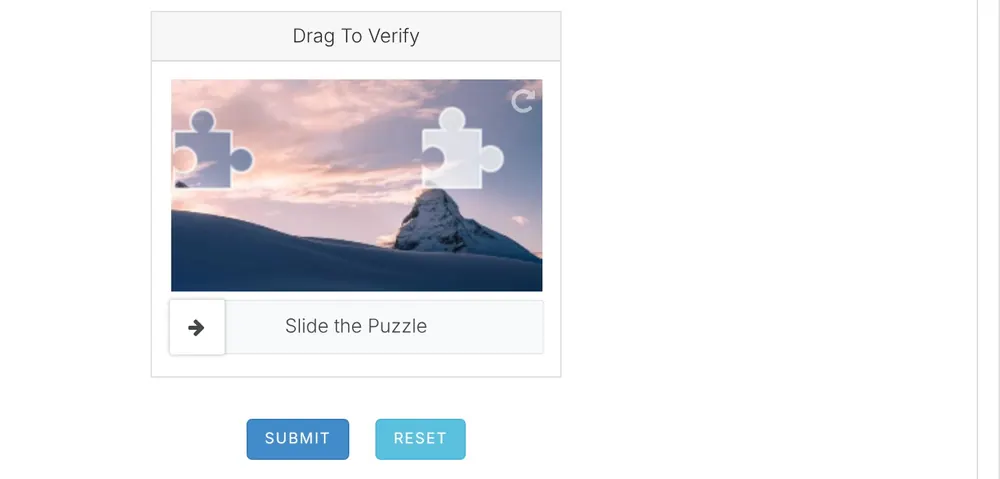
The puzzle slider and SUBMIT button at the end of the MDAC form

18Slide the puzzle, then press SUBMIT

Drag the puzzle piece into place, check every field once more and press SUBMIT. You'll receive a confirmation by email. Keep it on your phone and take a screenshot, so you can show it even without internet.

Lost your confirmation?

Use CHECK REGISTRATION on the same official website. ISAC staff at the airport can also help you.

Avoid fake MDAC websites

Fake websites copy the official design and ask for payment. The real MDAC is always free and always on imigresen-online.imi.gov.my. Type the address yourself instead of clicking ads.

Pack your hand luggage

Keep these with you on the plane, not in your checked bag. You'll need them before you collect your suitcase.

0 of 9 ready

Also pack

A phone charger and power bank, some cash for your first days, and any medicine you need with its prescription.

Get your phone ready

Charged, WhatsApp working, Excel's number saved, and your eVAL, eVisa, MDAC and ticket saved offline. Watch the ISAC video for your terminal.

Carrying a lot of cash?

If you bring more than USD 10,000, or the same amount in other currencies, declare it at customs when you arrive.

Keep digital copies

Email yourself scans of every document and save them in a folder on your phone. If a paper copy gets lost, you can still show the PDF.

Final check

Your name and passport number must match on your passport, eVAL, eVisa and MDAC. Found a difference? Don't travel. Contact us first.

A Malaysia Airlines plane at the gate at Kuala Lumpur International Airport

Stage 4 of 5Steps 10 and 11

Arrival day at KLIA

Welcome to Malaysia! What you do in your first thirty minutes at the airport decides how smoothly your Student Pass goes. One rule above all: you are a student, not a tourist.

For this stage you needPassporteVALeVisa, if requiredOffer LetterMDAC confirmation

You are a STUDENT, not a tourist.

Many new students walk straight to immigration or the autogate like tourists and get a tourist stamp (Social Visit Pass). With that stamp, Immigration will not issue your Student Pass, and fixing it costs time and money.

Three things to do, in this order

  1. 1Go to ISAC first

    The International Student Arrival Centre is before the immigration counters. It's open 24 hours.

  2. 2Say you are a student

    Show your eVAL. ISAC checks your documents and guides you to the right immigration counter.

  3. 3Never the autogate

    Use a manual immigration counter, even if the MDAC website says you can use the autogate. The autogate gives you tourist entry.

Step 10You

Go to ISAC first and say you are a student

Check your ticket: do you land at Terminal 1 or Terminal 2? Choose your terminal below. Each one has a short official EMGS video that shows you the way. Watch it before your flight.

What to say at the ISAC counter

“Hello. I am a new international student at Excel Language Center. Here are my passport, my eVAL, my Offer Letter and my MDAC.”

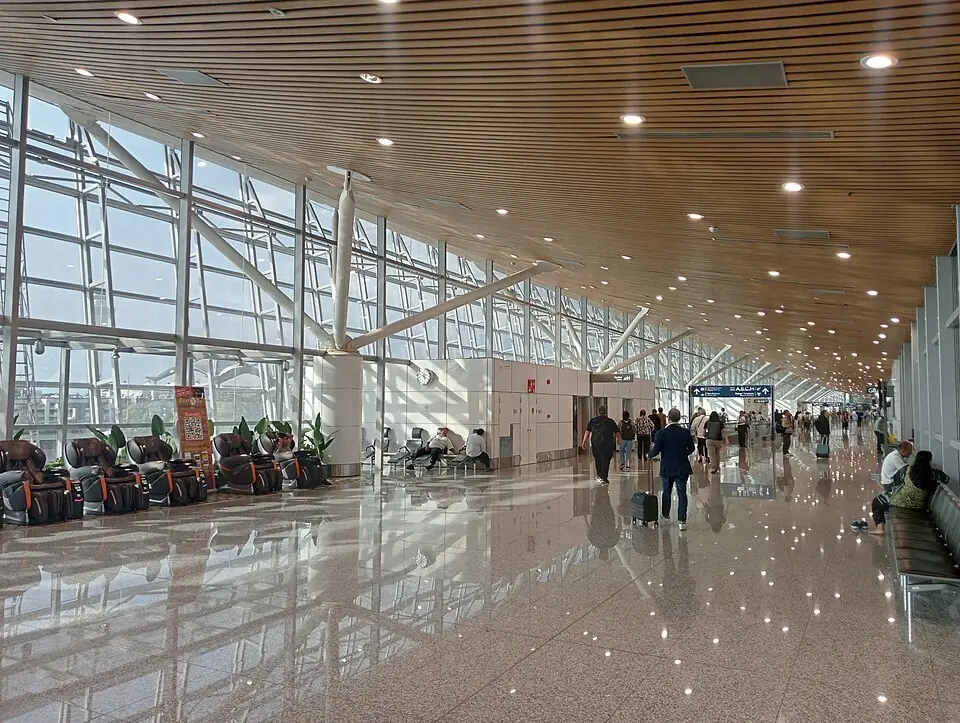
Inside the main terminal building of KLIA Terminal 1KLIA T1

ISAC is here

Arrival Hall in the main terminal building, Level 3, before the immigration counters.

Landed at a satellite gate? Take the Aerotrain to the main terminal first, then follow the arrival signs.

How to find ISAC at KLIA Terminal 1 (EMGS)

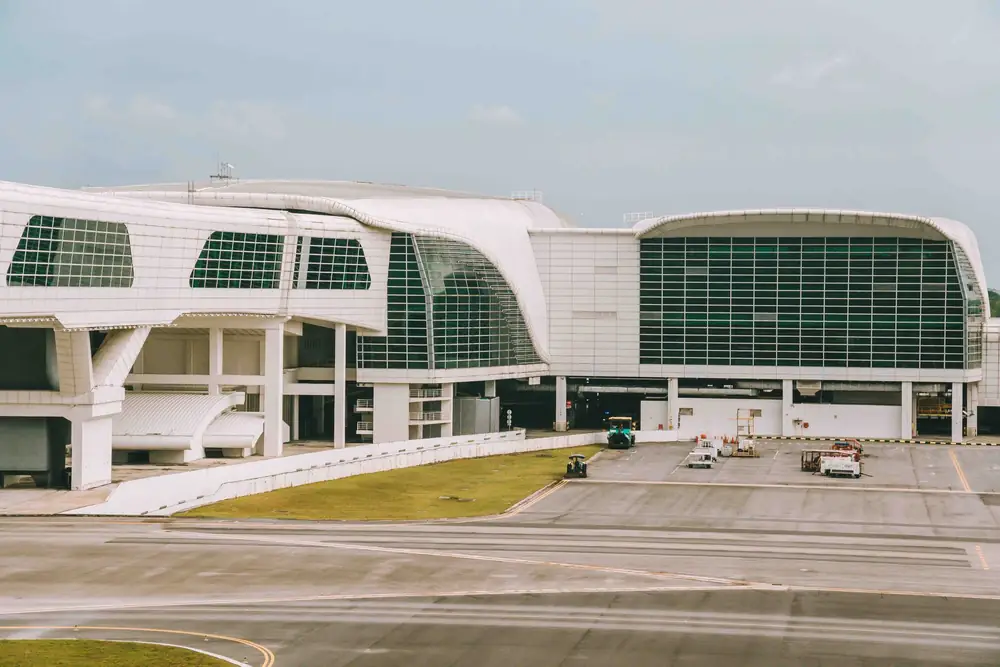
The klia2 terminal building at Kuala Lumpur International AirportKLIA T2

ISAC is here

Level 3A, right after you exit the Skybridge.

Arrived on Level 2? Take the passenger lifts up to Level 3A to reach ISAC.

How to find ISAC at KLIA Terminal 2 (EMGS)

Can't find ISAC?

Before you reach the immigration counters, ask any airport staff member:

“Excuse me, where is ISAC, the International Student Arrival Centre?”

You can also message us on WhatsApp. (opens in a new tab)

Videos: EMGS, Study in Malaysia.

Step 11Together

Immigration counter, then meet your pickup

Seven short steps from landing to meeting our driver. Steps 3 to 5 are the ones that matter most.

  1. 1

    Land at KLIA

    Switch on your phone, connect to the free airport Wi-Fi and message us that you've landed.

  2. 2

    Follow the arrival signs

    Head towards Arrival and Immigration. Terminal 1: take the Aerotrain if needed. Terminal 2: go to Level 3A.

  3. 3

    Go to the ISAC counter first

    Say "I am a new international student" and show your passport, eVAL, Offer Letter, eVisa and MDAC.

  4. 4

    Immigration counter, not the autogate

    Show your eVAL, your eVisa if required, and your MDAC to the officer.

  5. 5

    Check your passport stamp

    Before you walk away, look at the stamp. It should be a Special Pass for students, not a Social Visit Pass.

  6. 6

    Baggage claim and customs

    Collect your suitcase and walk through customs to the arrival hall.

  7. 7

    Meet your Excel pickup

    Our driver meets you as arranged. Can't find them? WhatsApp us on +60 19-⁠831 0570.

Check your stamp

Special Pass

Student entry, usually valid 14 to 30 days, until your Student Pass is ready.

Social Visit Pass

Tourist entry. Your Student Pass can't be issued with it.

Wrong stamp?

Go back to the immigration counter before you leave the area and politely ask the officer to correct it. Tell ISAC and message us.

Forgot your MDAC?

ISAC staff can help you complete it at the airport, but please do it before you fly.

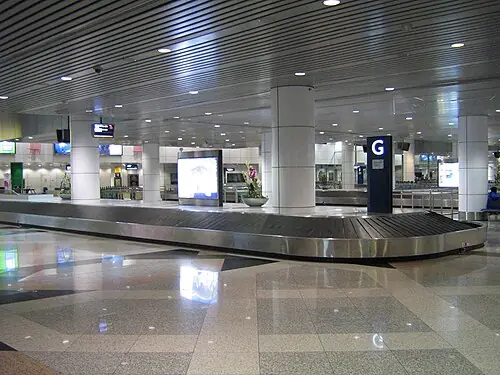
The baggage reclaim hall at KLIA
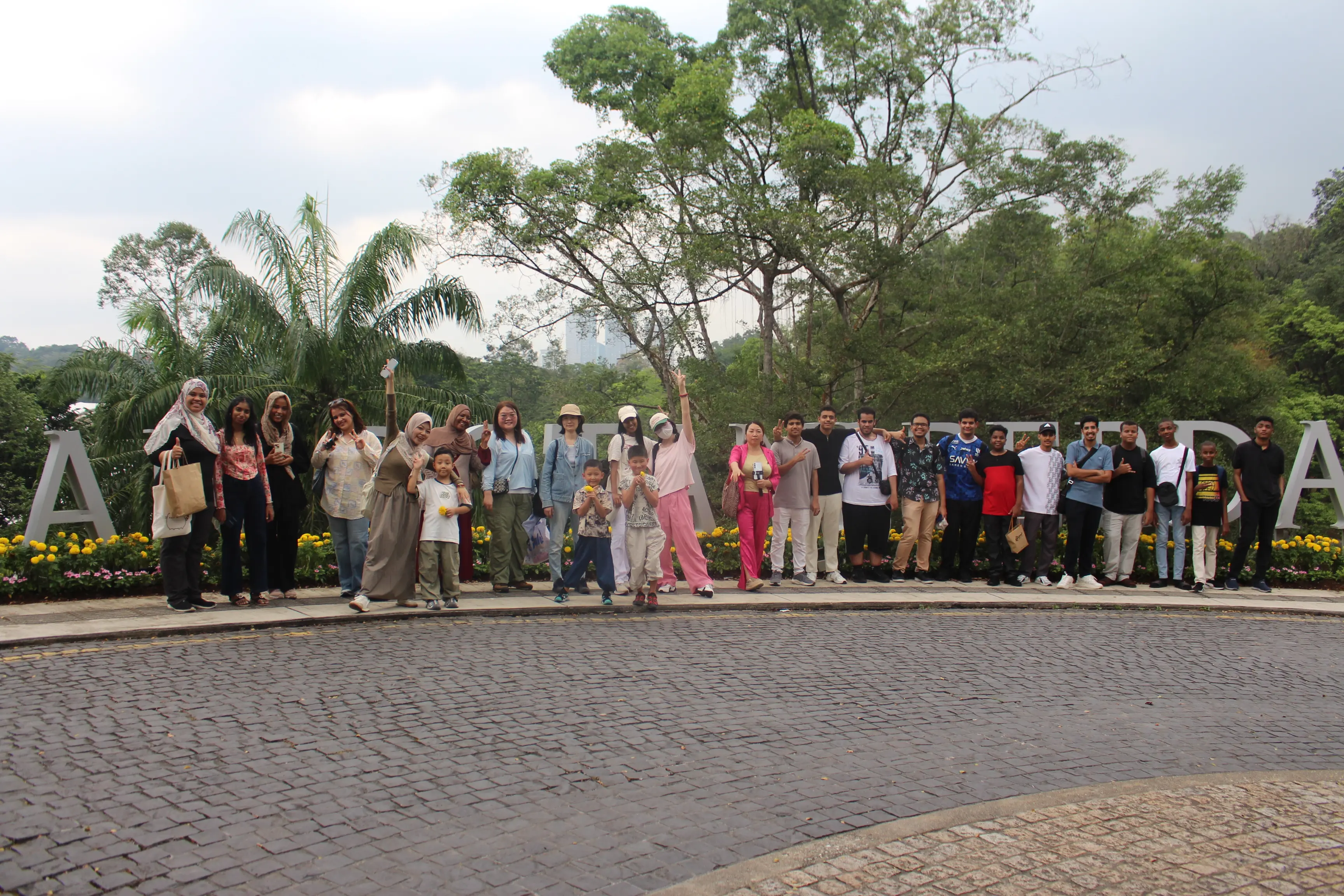
Excel students from many countries on a group outing in Kuala Lumpur

Stage 5 of 5Steps 12 to 14

Your first week at Excel

You made it. A few last steps turn your Special Pass into a Student Pass, and then your English journey begins.

For this stage you needPassportOffer LetterOriginal certificate and transcriptRemaining program fees

Step 12Together

Final registration and remaining fees

Come to the language center to complete your final registration. Pay the remaining balance of your program fees (your RM 3,350 visa processing fee is already deducted) and fill in the registration forms.

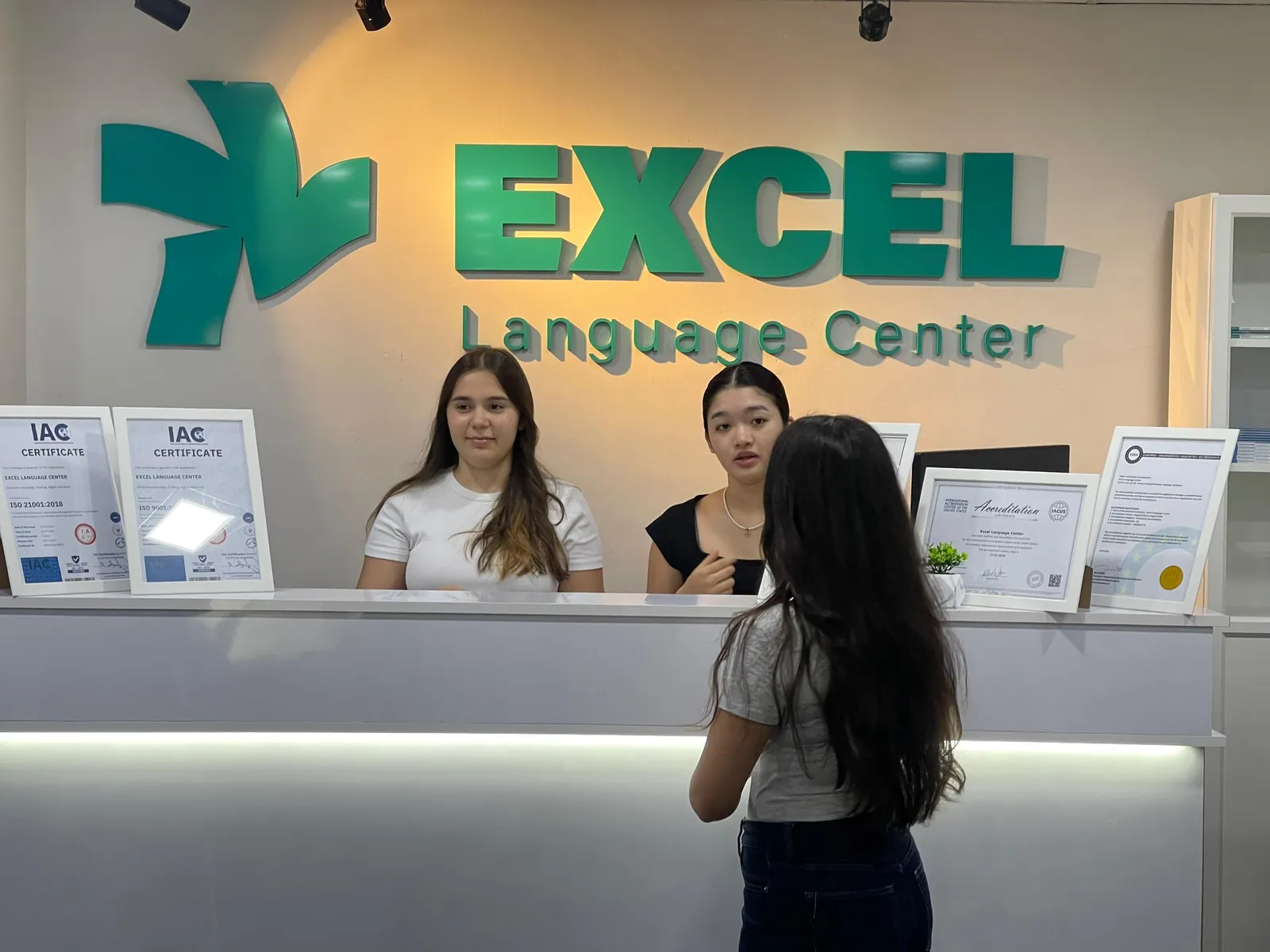
New students at the Excel Language Center reception desk

Bring

Your passport, your Offer Letter, and your original school certificate, transcript and translations.

Step 13Together

Medical check and your Student Pass

Two short steps turn your Special Pass into a Student Pass. We guide you through both.

Medical check

Within 7 days of arrival, at an EMGS-approved panel clinic. We tell you where to go. Without it, your Student Pass can't move forward.

Passport submission

After you pass the medical check and EMGS confirms it, you hand us your passport. We submit it to Immigration, and it comes back with your Student Pass.

Don't travel abroad yet

While your passport is with us or with Immigration, don't book any trip outside Malaysia. Wait until your passport comes back with your Student Pass.

Your first week at a glance

  1. Arrival day

    ISAC and your Special Pass

  2. First days

    Final registration and fees

  3. First days

    Placement test, then your class

  4. Within 7 days

    Medical check at a panel clinic

  5. After the medical

    Passport to Immigration for your Student Pass

Step 14You

Placement test, then your first class

You take a placement test so we can find your English level. Then you join the class that fits you, with classmates at the same level. Every student also gets an Excel Passport in the colour of their level.

  • Excel Passport, Beginner level
  • Excel Passport, Elementary level
  • Excel Passport, Intermediate level
  • Excel Passport, Advanced level

Excel Passport

Monthly real-life English missions, teacher feedback and stamps that track your progress. Created by Excel. Only at Excel.

Try our free placement test online

Seven hours of English a day, the Excel way

  • 4 h

    Classroom lessons

    With Oxford English File: speaking, listening, reading, writing, grammar and vocabulary.

  • 1 h

    Interactive activities

    Team challenges, games, group discussions and practical tasks.

  • 2 h

    Online speaking practice

    In the evening, so you keep using your English every day.

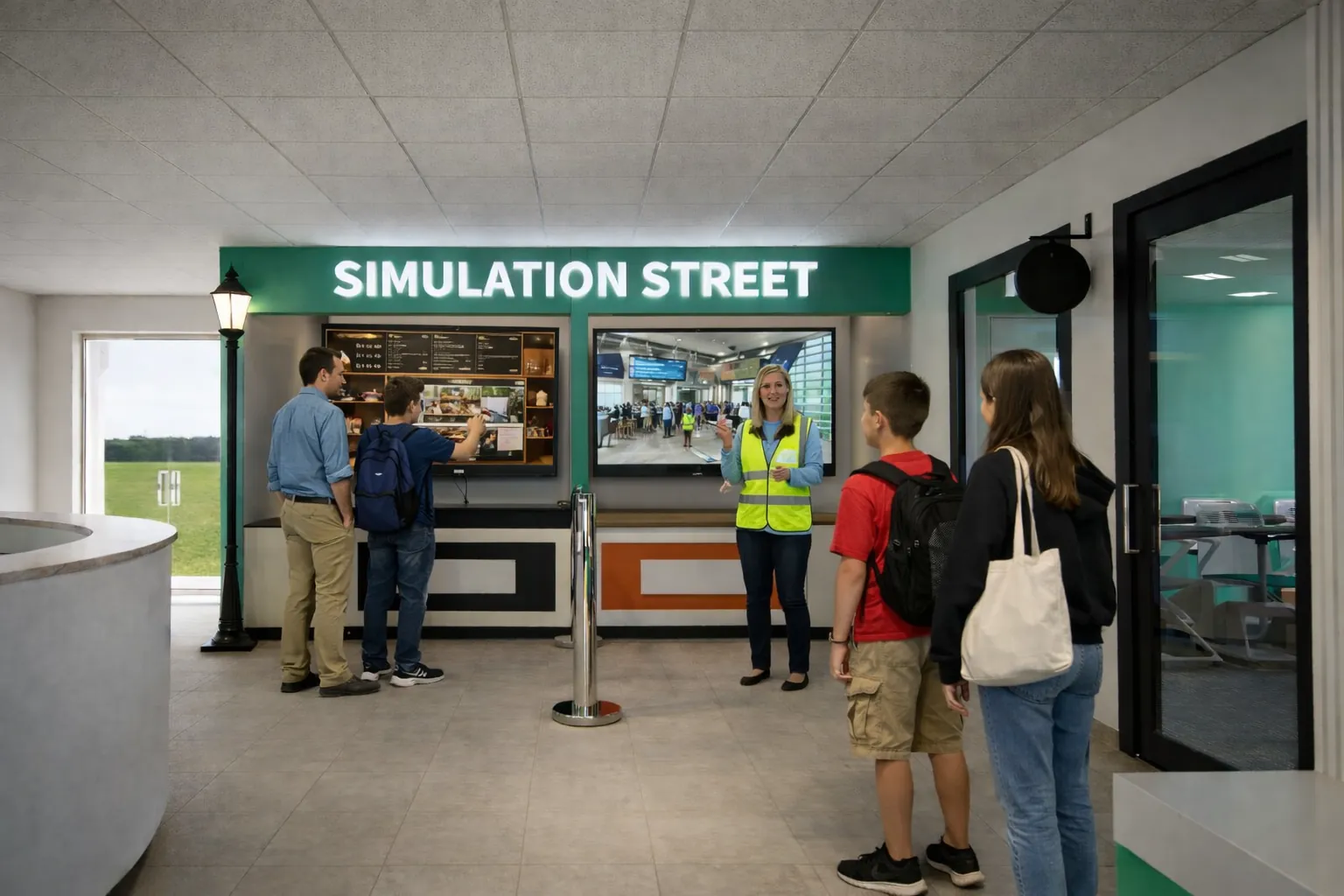
Students practising English on Simulation Street at Excel
Simulation StreetPractise real-life English in real situations: airport, restaurant, bank, hospital and shopping.
Excel students celebrating together in class
A bigger worldGames, trips, cultural days and friends from 40+ nationalities.

Study English. Practise English. Live English.

Eight mistakes to avoid

These cause the most delays for new students. Avoid them and your journey will be smooth.

  • Entering as a tourist

    A Social Visit Pass can't be turned into a Student Pass. Go to ISAC first and say you're a student.

  • Using the autogate

    The autogate gives you tourist entry, even if you are allowed to use it. Always use a manual immigration counter.

  • Flying before approval

    No eVAL, and no eVisa if you need one, means no student entry. Wait for both.

  • Late or missing flight details

    Send your ticket at least 7 days before you fly, and tell us about every change.

  • A paid or fake MDAC website

    Use only imigresen-online.imi.gov.my. The real MDAC is free.

  • Choosing VTR or a tourist visa

    Students always choose VDR, Visa With Reference, in the MYVISA portal.

  • A name or passport mismatch

    Your passport, eVAL, eVisa and MDAC must match exactly.

  • Letting deadlines pass

    eVAL: 6 months. eVisa payment: 7 working days. Medical check: 7 days after arrival.

Key dates to remember

  • 6 months

    eVAL validity

    Enter Malaysia within this time.

  • 7 working days

    Pay for your eVisa

    Or the application expires.

  • 3 months

    eVisa validity

    Travel within 3 months of approval.

  • 7+ days

    Before your flight

    Send us your ticket.

  • 3 days

    Before you land

    Your MDAC window.

  • 7 days

    After you land

    Your medical check.

Final checklist before you travel

Tick each one when it's ready. Your ticks are saved on this device.

0 of 8 ready

Questions students ask us

We're with you, step by step

Our Admissions and Registration Team guides you through registration and your student visa, all the way until you arrive in Malaysia and begin your studies.

When you message us, always write your full name as in your passport.

Rules can change. Immigration requirements depend on your nationality and are updated from time to time. If anything here differs from the official portals, follow the portals and our team's instructions. Last checked: 21 October 2026.

Sources: Immigration Department of Malaysia (MYVISA, MDAC and Student Pass pages); EMGS (ISAC, the eVisa country list and post-arrival medical screening); Excel Language Center registration process.

Photos: Excel Language Center; Pexels (Indra Gunawan, RDNE Stock project, Ekaterina Belinskaya, Vlada Karpovich, Alireza Akhlaghi, Theodore Nguyen); Wikimedia Commons: KLIA Terminal 1 interior by Ralff Nestor Nacor, CC BY-SA 4.0; KLIA baggage reclaim by Craig, public domain. Screenshots and infographic: Immigration Department of Malaysia. Videos: EMGS.